TL;DR
- Roku apps can now be built using TypeScript with Roku SceneGraph 2.0 (RSG 2.0), in public beta since October 29, 2026. At the moment, these apps can only be sideloaded and requires Roku OS 16.0. Store publishing is expected in 2027.
- Playback stays the same. The Video node still plays the stream, and RAF and IMA DAI, the main ad libraries on Roku, remain BrightScript libraries.
- TypeScript can only talk to SceneGraph components through fields, so anything that relies on direct function calls (callFunc), including Bitmovin Player SDK commands, doesn’t work from TypeScript yet.
- Existing Bitmovin Roku Player integrations will keep working as is, and a compatibility layer for TypeScript apps will be available in Q2.
Table of Contents
At the Roku Developer Summit in San Jose on September 23-24, 2026, one change stood out for video apps. You can now build apps using TypeScript, while video playback on Roku stays the same.
In this post, we explain what RSG 2.0 changes and what it means for three groups:
- teams that already use the Bitmovin Roku Player
- teams that build directly on the Video node and the Roku Advertising Framework (RAF)
- teams that are not on Roku yet
Existing apps will keep working as they do today, so you have time to plan.
How Roku apps work today
Roku apps are built with BrightScript, Roku’s own scripting language, on top of SceneGraph, a tree of UI nodes, such as labels, grids, and the Video node that plays streams. One thread, the render thread, renders the tree and runs the UI code. Network calls and other slow work run on Task nodes, which execute on background threads.
Components talk to each other in two ways. First, fields are properties that other components can set and observe for changes. Think of them as notes on a shared noticeboard. One component posts a new value, and others see when it changes. Second, callFunc calls a function on another component directly, like a phone call: the caller waits for the answer. This matters because TypeScript in RSG 2.0 can only use fields to talk to SceneGraph and BrightScript components, as we explain below.
A component library is a package of components that an app loads at runtime. Player SDKs for Roku, including the Bitmovin Roku Player, ship this way. During development, apps are sideloaded by installing them directly on a Roku device in developer mode.
What RSG 2.0 is
RSG 2.0 is Roku’s new software development kit (SDK) that brings TypeScript support to Roku’s existing SceneGraph user interface framework. Until now, Roku apps (also called channels) had to be built with BrightScript, Roku’s own language, with XML files that define each component. With RSG 2.0, developers can build apps with TypeScript, one of the most widely used programming languages. SceneGraph, Roku’s UI framework, still renders what viewers see on screen.
More specifically, RSG 2.0 lets developers build SceneGraph components in TSX (TypeScript with JSX markup) with the SolidJS UI framework. TSX lets you define the screen’s layout as HTML-like tags inside your TypeScript code. On Roku, it replaces the XML files BrightScript apps use to describe the UI. Hermes, the JavaScript engine also used by React Native, runs code that’s compiled ahead of time to reduce memory use and speed up startup. The TypeScript code then runs on its own thread, which Roku calls the Program thread, while BrightScript UI code and SceneGraph stay on the render thread. The two threads talk to each other only through fields, which matters for playback, as we explain below.
Teams comfortable with TypeScript but not BrightScript can now build Roku apps with the tools they already use, including pure-JavaScript npm libraries, Chrome DevTools, and Jest tests that can run without a device. They can also make network calls with fetch and async/await instead of Task nodes.
Roku’s TypeScript lacks support for worker threads or WebSockets. All TypeScript code runs on one thread. Network calls with fetch don’t block it, but heavy processing, such as working through a large data set, can’t be moved to the background. TypeScript also can’t hold a live two-way connection to a server, the kind used for live chat or real-time score updates. The workaround is a Task node, which runs on its own thread, and Roku OS 16.0 adds WebSockets to BrightScript. But Task nodes run BrightScript code, so for these jobs your team will still need to use BrightScript.
The SDK code is published under the MIT license on GitLab and npm. Where things stand:
- The public beta was released on October 29, 2026, and supports sideloading only.
- Roku OS 16.0, which TypeScript apps need, is rolling out in stages.
- Store publishing is expected in 2027, with the exact date to be announced separately via the Roku developer blog.
Here’s what changes for video apps, side by side. Roku’s own overview compares the rest of the development model.
| BrightScript app today | RSG 2.0 app (beta) | |
| Language | BrightScript and XML | TypeScript (TSX) with SolidJS |
| Who draws the UI | SceneGraph | SceneGraph (unchanged) |
| Background work | Task nodes | fetch with async/await; Task nodes still run BrightScript |
| Talking to SceneGraph and BrightScript components | Fields and callFunc | Fields only |
| Video playback | Video node | Video node (unchanged) |
| Bitmovin Roku Player | Component library: commands through callFunc | From Q2: commands through our compatibility layer |
| Ads (RAF, IMA DAI) | BrightScript libraries | BrightScript libraries, accessed through a bridge |
| Minimum Roku OS | Depends on the features used | Roku OS 16.0 |
What does not change
The UI and playback. SceneGraph still renders the UI, and the Video node still plays DASH and HLS streams, so streaming formats, DRM, and playback stay as they are.
BrightScript. It stays fully supported, and Roku expects hybrid apps that mix BrightScript and TypeScript. For example, early adopters at the Roku Developer Summit moved leaf components, self-contained screen elements such as grids, to TypeScript first and kept the rest in BrightScript.
Libraries and ads. Component libraries, such as player SDKs, continue to work in BrightScript and in hybrid apps that load them from BrightScript. From TypeScript, they can only be reached through fields, as the next section explains. Existing ad integrations stay compatible too. RAF, the Roku Advertising Framework, is Roku’s library for requesting, playing, and tracking video ads. It remains a BrightScript library, and TypeScript apps can use it through a bridge that Roku ships in its SDK. Google’s IMA DAI SDK for Roku (Interactive Media Ads, Dynamic Ad Insertion), which handles server-side ad insertion for Google Ad Manager streams, also remains a BrightScript library. Google hasn’t yet announced a bridge for IMA DAI. The Bitmovin Roku Player already integrates it, so TypeScript apps will be able to use IMA DAI through our compatibility layer.
What it means for playback and ads
TypeScript reaches SceneGraph only via fields, asynchronously. In noticeboard terms, it can post values and react when they change, but it can’t make a direct call with callFunc, or read a field and get the value back on the spot. How much this affects you depends on what plays your video:
- The Video node alone. It works through TypeScript, because you control it through fields: content (what to play), control (play, pause, or stop) and seek (where to jump to).
- RAF. It remains a BrightScript library, not a node. Roku’s bridge, the @roku-sdk/ads package, is a BrightScript component that runs RAF in the background: TypeScript code sets fields such as the ad URL or a command and observes the results.
- The Bitmovin Roku Player and other third-party player SDKs continue to be delivered as component libraries. Events, such as playback starting or an error, are fields, so TypeScript can listen for them. Commands such as load, play and seek usually go through callFunc, so TypeScript can’t send them directly.
Early adopters identified callFunc as their main migration hurdle. Roku isn’t planning to change this, as the boundary between the two threads is asynchronous by design. Its documented workaround is to write a value to an input field and watch an output field for the result, which SDK providers, Bitmovin included, have to build into their components.
If you already use the Bitmovin Roku Player
Your app keeps working as it is whether it uses BrightScript alone or in a hybrid app. BrightScript integrations see no change.
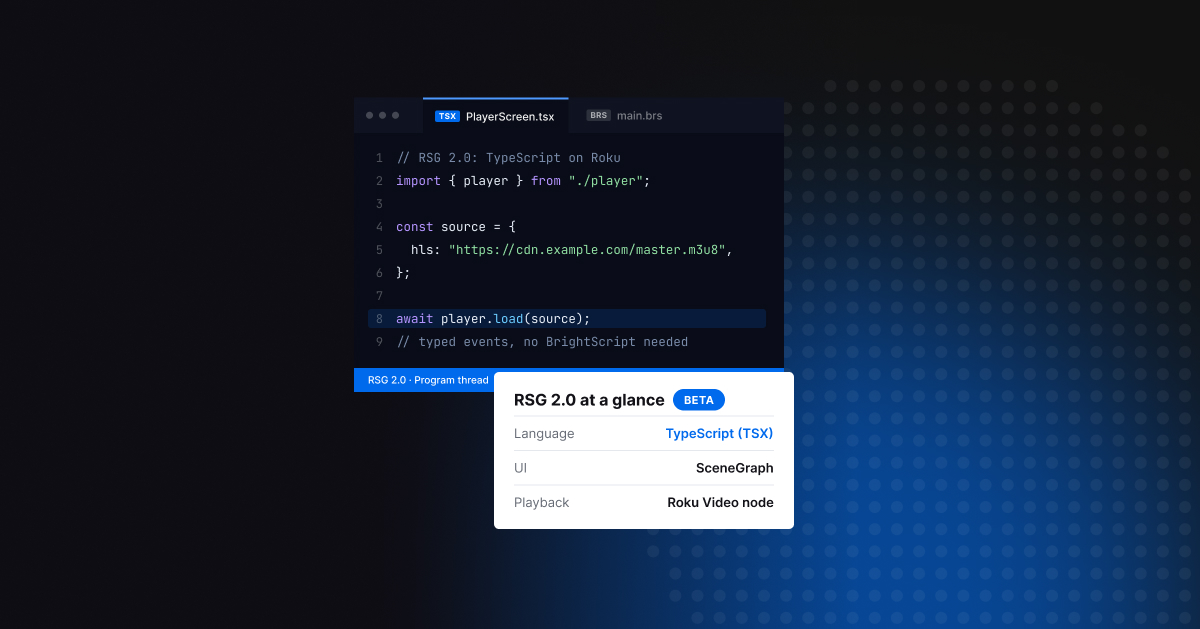
For TypeScript apps, we are developing a compatibility layer that will be available in Q2 as a typed TypeScript package on npm, with type definitions so your editor can check your calls. An app will be able to call await player.load(source) and observe typed events, with no BrightScript code needed for the player.
If you use the Video node and RAF directly
On their own, the Video node and RAF leave you to handle the player logic. That includes deciding when each ad break plays, resuming the content after each break, setting up DRM licenses for each stream, reading thumbnail tracks, and making sense of playback errors.
The Bitmovin Roku Player is built on both and does that work for you:
- Ads. Client-side ads through RAF with VAST (Video Ad Serving Template) and VMAP (Video Multiple Ad Playlist), server-side ads with Google IMA DAI for live and VOD, full control over the ad schedule, ad events, and a customizable ad buffering screen.
- DRM. Widevine and PlayReady, configured the same way as on our other players.
- Viewer features. Seek-preview thumbnails, audio and subtitle track selection with subtitle styling, live time shift (pausing and rewinding live streams), instant replay, and playlists.
- Easier integration. One event model for playback, ads, and errors, with Bitmovin error codes, close to our other players, plus custom HTTP headers and agents (for example, to pass access tokens to your CDN) and an optional error screen for viewers.
- Observability and reliability. Connected to Bitmovin Observability and tested on real Roku devices running the latest Roku OS, with more than 700 automated tests on every code change.
More than 20 content providers use the Bitmovin Roku Player, including Watch Brasil. They span subscription and sports streaming services as well as documentary, music, and faith platforms. Technology companies like MediaKind also use it.
If you are not on Roku yet
Roku passed 100 million streaming households worldwide in April 2026 and is used in more than half of US broadband households, with growth in Mexico, Canada, Brazil, and the UK (Roku).
RSG 2.0 makes Roku development more accessible to teams that already build TV apps in TypeScript. It isn’t a browser running inside the TV (a WebView) though: apps still render through SceneGraph, so there is no DOM, CSS, Media Source Extensions (MSE) or Node.js. Playback comes from the native Video node, which downloads and plays the stream itself, so a web player, which relies on MSE to feed video to the browser, cannot run on Roku, even in a TypeScript app.
Your TypeScript skills carry over, and so does code that isn’t tied to the UI, such as API clients and data models. You still need to do two things:
- Rebuild the UI with Roku components such as grids, labels, and posters, and focus handling so viewers can move around the screen with the remote.
- Test on Roku devices or on Roku’s Cloud Emulator.
Playback is the part you don’t have to rebuild. If you use Bitmovin on the web, Android, or iOS, the Bitmovin Roku Player takes source, DRM and ad configuration close to what you already have, so your team can spend its Roku time on the UI rather than learning BrightScript for playback and ads.
What’s next
RSG 2.0 is still in beta, and TypeScript apps won’t ship to the Roku store until 2027. That leaves time to plan. Try RSG 2.0 on a leaf component, check which of your integrations depend on callFunc, and keep playback on a player that works from both BrightScript and TypeScript. Integrations that depend on callFunc are typically player, analytics, and ad libraries, and they won’t work from TypeScript until each provider offers a field-based alternative.
If you want to get familiar with the Bitmovin Roku Player, start with our Roku sample apps on GitHub, which cover basic playback and seek-preview thumbnails, and sign up for a free trial.
FAQs
What is Roku RSG 2.0?
RSG 2.0 (Roku SceneGraph 2.0) is Roku’s new SDK for writing Roku apps in TypeScript instead of BrightScript. You write UI components in TSX with the SolidJS framework, while SceneGraph, Roku’s UI framework, still renders what viewers see. It has been in public beta since 29 October 2026 and needs Roku OS 16.0.
Do I need to rewrite my BrightScript Roku app in TypeScript?
No. BrightScript stays fully supported, and Roku expects hybrid apps that mix the two languages. Early adopters moved self-contained screen elements, such as grids, to TypeScript first and kept the rest in BrightScript. Existing apps keep working unchanged, and TypeScript apps can’t be published to the Roku store until 2027.
When can I publish a TypeScript app to the Roku store?
Not during the beta. RSG 2.0 apps can only be sideloaded onto Roku devices in developer mode for testing. Roku expects store support in 2027 and will announce the date separately, which will mark the end of the beta.
Does RSG 2.0 change video playback, DRM or ads on Roku?
No. The Video node still plays DASH and HLS streams, so streaming formats and DRM are unchanged. The Roku Advertising Framework (RAF) and Google’s IMA DAI SDK remain BrightScript libraries. TypeScript apps use RAF through Roku’s bridge. With the Bitmovin Roku Player, they will be able to use IMA DAI through our compatibility layer.
Can I use a video player SDK from TypeScript on Roku?
Partly. TypeScript can only talk to SceneGraph components through fields, so it can listen for player events but can’t send commands that use callFunc, such as load, play and seek. SDK providers need to offer field-based alternatives. A web player can’t run on Roku at all, because there’s no browser or Media Source Extensions.