

TL;DR
- The Bitmovin CLI is an open-source, public beta command-line interface that unifies Bitmovin’s VOD Encoder, Live Encoder, Player, and Observability products into a single scriptable interface.
- Instead of jumping between dashboards and stitching together API calls, developers and ops teams can trigger encoding jobs, manage Player licenses, query playback performance, and monitor live streams, all from the terminal.
- The CLI is designed to work seamlessly in CI/CD pipelines, batch processing systems, and event-driven workflows, and is purpose-built to serve as a reliable execution layer for AI agents like Claude Code and OpenAI Codex.
- Because every command produces structured, parseable JSON output, agents and scripts can branch on results, retry failed jobs, and trigger downstream steps with no custom glue code.
Table of Contents
Most video workflows are automated in parts. Encoding jobs run on one system, Player configuration lives somewhere else, and playback performance data requires yet another tool to query. The pieces exist, they just aren’t connected. That fragmentation is where time gets lost. Even simple tasks like triggering an encoding job, updating a domain allowlist, or checking why a stream dropped can mean jumping between dashboards, stitching together API calls, or manually kicking off the next step.
The Bitmovin command line interface (CLI) fixes that. It’s an open-source, public beta tool that brings Bitmovin’s VOD Encoder, Live Encoder, Player, and Observability solution into a single scriptable interface. Start encoding jobs, manage Player licenses, and query playback performance data, all from the terminal and all pipeable into scripts or agent workflows.
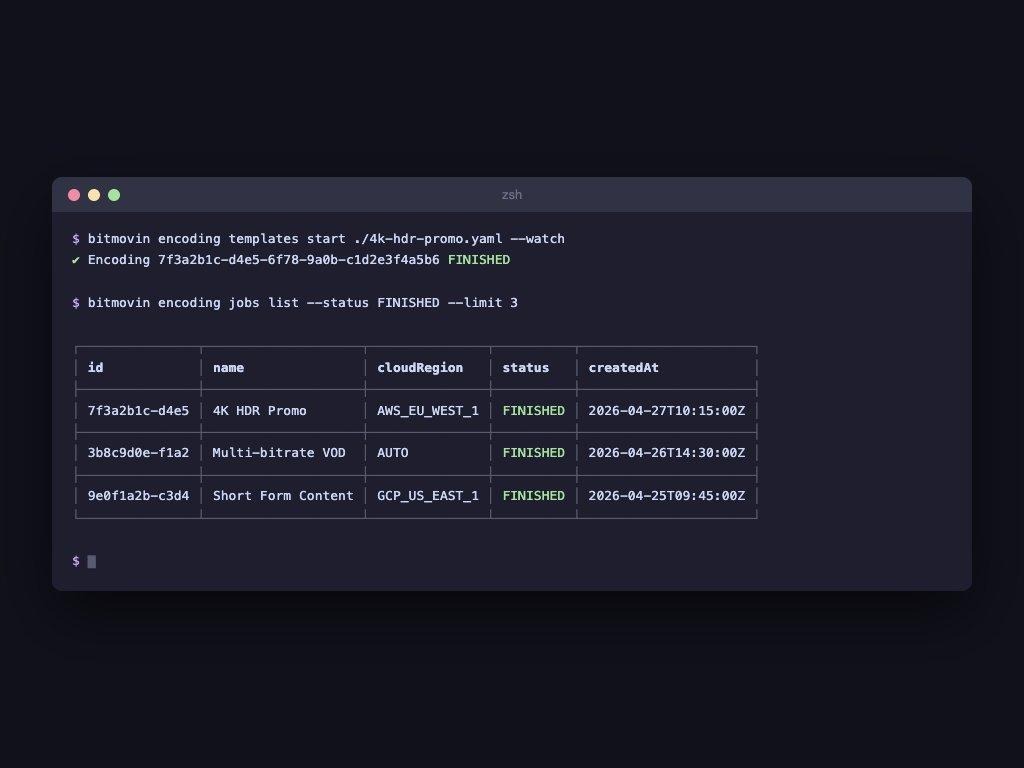
An example of a developer starting a VOD encoding job from the terminal and confirming it finished, no dashboard required.
While it integrates well with AI agents, the core value is simpler, reliable automation you can build today, whether that’s a CI/CD pipeline, a batch processing job, or an event-driven workflow. No custom glue code required.
Why the CLI is the natural interface for agent-driven video workflows
Agents like Claude Code and Codex are significantly more reliable at generating shell commands than multi-step SDK calls. SDK integration requires knowing object initialization order, credential management, and async error handling. A CLI command is a single deterministic string. That difference matters at scale.
The output is structured and parseable. An agent can read a status table from stdout, branch on it, retry a failed job, or trigger a downstream step, with no custom parsing code. It just works.
As video workflows scale, the bottleneck isn’t access to individual capabilities, it’s coordinating them. The CLI addresses that directly, providing one consistent interface across Bitmovin’s VOD Encoder, Live Encoder, Player, and Observability solution, usable by humans and agents alike.
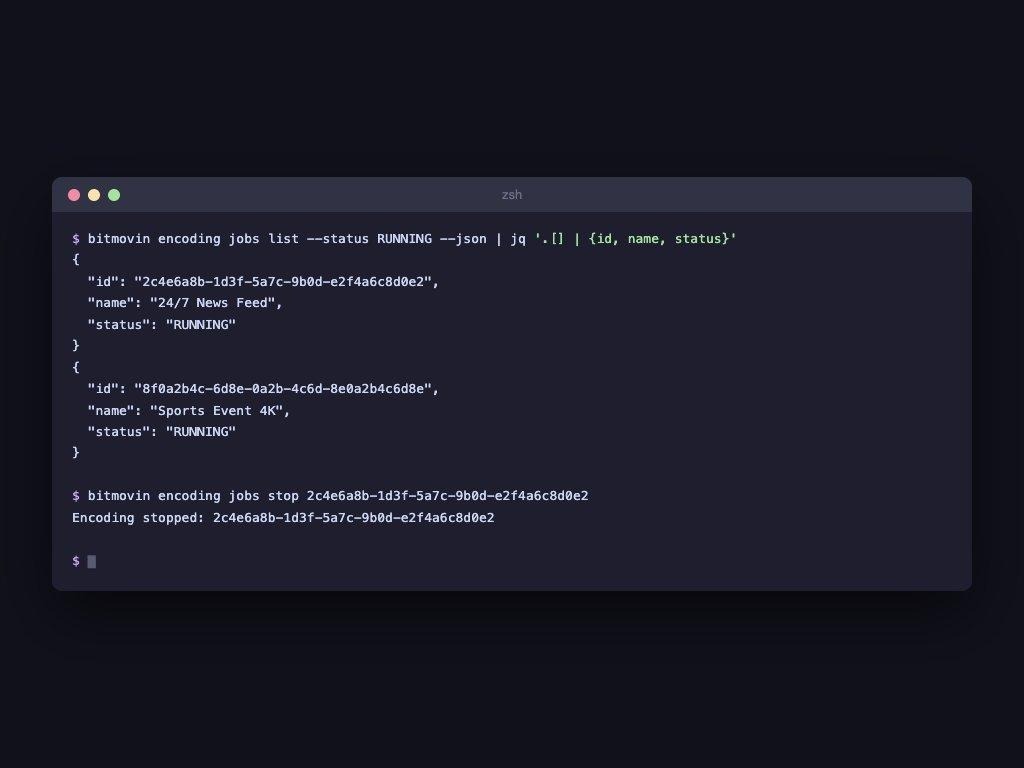
An example of an agent querying running live encoding jobs as structured JSON, then stopping a specific stream programmatically.
What the Bitmovin CLI covers today
One interface across Bitmovin’s full product stack. The CLI covers Bitmovin’s VOD Encoder, Live Encoder, Player, and Observability solution, with consistent commands and structured JSON output across all of them.
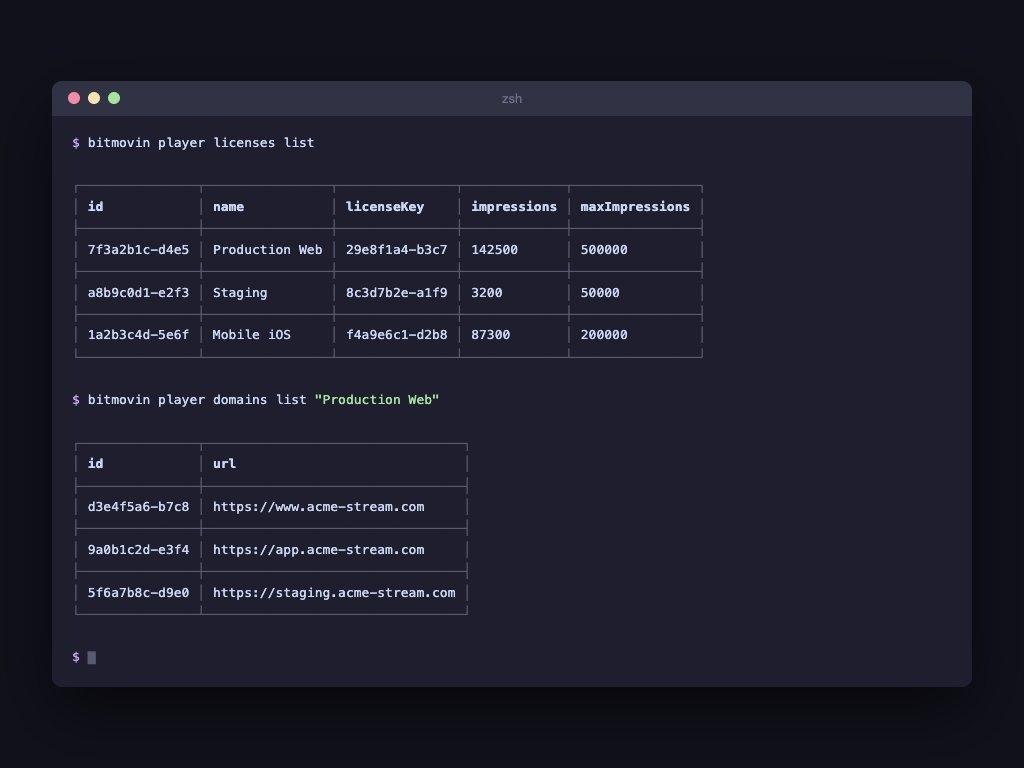
An example of a developer listing player licenses and checking whitelisted domains, two commands instead of navigating the dashboard.
Use cases
The CLI currently covers the following use cases across Bitmovin’s VOD Encoder, Live Encoder, Player, and Observability solution.
- Starting and monitoring VOD Encoder and Live Encoder jobs from the terminal
- Inspecting job status, errors, and encoding timelines across content libraries
- Managing Player licenses, domain allowlists, and configuration updates
- Querying Observability for playback data and QoE insights
Each of these is accessible through consistent commands with structured JSON output, so they can be composed into larger workflows without custom integration work per product.
What automation looks like in practice
Here’s what a publish pipeline looks like end-to-end using the CLI.
- A new video asset is uploaded
- A pipeline triggers an encoding job via the CLI
- The system monitors job progress and completion status
- Once complete, it validates output and checks for errors
- Observability data is queried to confirm playback readiness
- Based on results, the system publishes the content or retries with adjustments
In practice, those steps map directly to CLI commands.
Each step is a deterministic command. The output is structured. That means the workflow runs without human intervention and integrates cleanly into CI/CD pipelines, batch systems, or event-driven architectures without custom orchestration.
Where agents fit into this model
Automation does not require AI to be effective, but AI systems can extend it further once workflows are already structured and connected.
In this context, an agent is simply a system that does three things.
- Receives input, events like new uploads, failed jobs, or QoE issues
- Makes decisions, based on defined logic or models
- Takes action, by executing commands and evaluating results
The CLI provides a stable execution layer for those actions. Because commands are consistent and outputs are structured, agents can operate reliably without needing to manage complex SDK interactions.
Observability as part of the workflow
Playback data shouldn’t live in a separate tool. Through Bitmovin’s Observability MCP server, you can query Observability for video playback using plain English and get structured responses back, directly from the same workflow that triggered the encode.
Ask about QoE trends, error rates, or why a specific stream dropped, and get a structured answer back. No custom query language, no dashboard context-switch. Playback insights become part of the operational loop, not an afterthought.
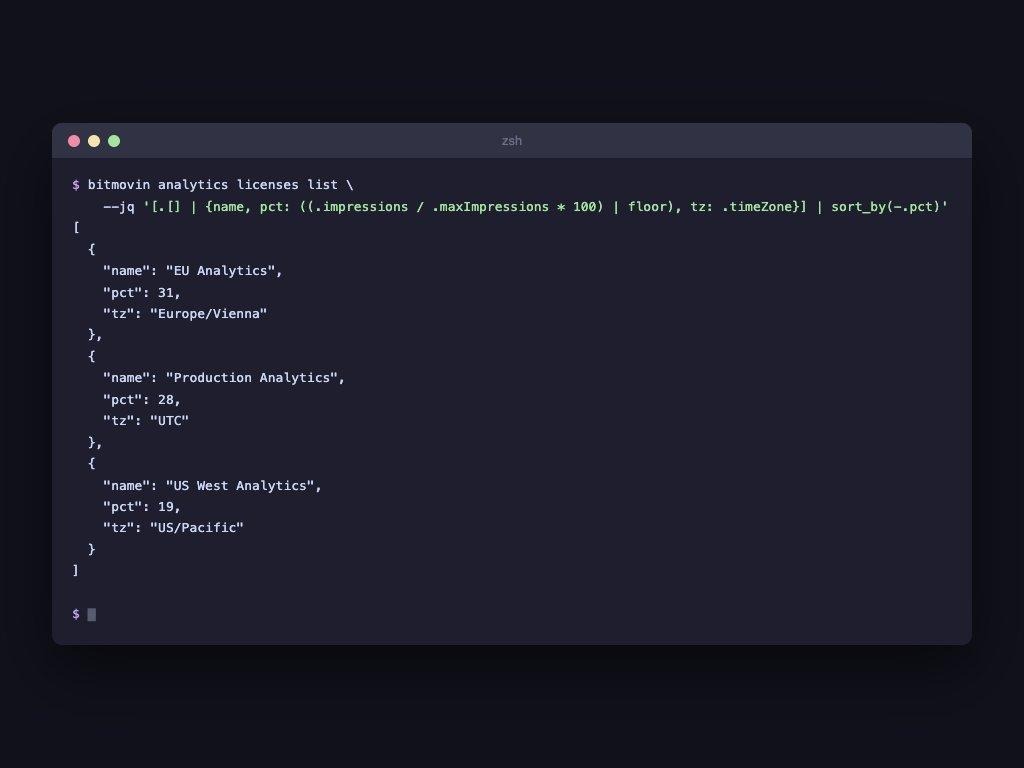
An example of an agent querying Observability data with structured JSON output, sorted by usage percentage.
Try it in the next 60 seconds
Install the CLI and run your first encoding status check.

The setup guide is in the Bitmovin CLI public beta repository. If you want to test out how Bitmovin’s CLI works with your workflows, sign up for free trial and if you are already using Bitmovin, you can try it today with your existing account. Capabilities are expanding based on real-world usage, so if there’s a workflow you want to automate, open an issue or start a discussion in the repository.
FAQs
What is the Bitmovin CLI?
The Bitmovin CLI is an open-source command-line interface (currently in public beta) that brings Bitmovin’s VOD Encoder, Live Encoder, Player, and Observability products into a single terminal-based interface. It enables developers to automate video workflows, manage configurations, and query playback data without needing to use multiple dashboards or write custom SDK integrations.
What can I do with the Bitmovin CLI?
With the Bitmovin CLI you can start and monitor VOD and Live encoding jobs from the terminal, inspect job status and error timelines, manage Player licenses and domain allowlists, and query Observability for Quality of Experience and playback performance data.
How does the Bitmovin CLI support AI agent-driven video workflows?
AI agents like Claude Code and OpenAI Codex are significantly more reliable at generating shell commands than orchestrating multi-step SDK calls. Because CLI commands are single, deterministic strings with structured JSON output, agents can read results, make decisions, retry failed jobs, and trigger downstream steps without requiring custom parsing or complex SDK interactions. The CLI acts as a stable execution layer for agent-driven video automation.
How does the Bitmovin CLI integrate with Observability?
Through Bitmovin’s Observability MCP server, developers and agents can query playback data using plain English directly from the same workflow that triggered an encoding job. This eliminates the need to switch to a separate dashboard or use a custom query language, making playback insights a native part of the operational loop.
Is the Bitmovin CLI free to use?
The Bitmovin CLI is open source and available as a public beta on GitHub. You can try it with a free Bitmovin trial account or with an existing Bitmovin account. New capabilities are being added based on real-world usage and community feedback.
Where can I get started with the Bitmovin CLI?
The setup guide is available in the Bitmovin CLI public beta repository on GitHub. You can sign up for a free trial at bitmovin.com to get started, or use it immediately if you already have a Bitmovin account.